

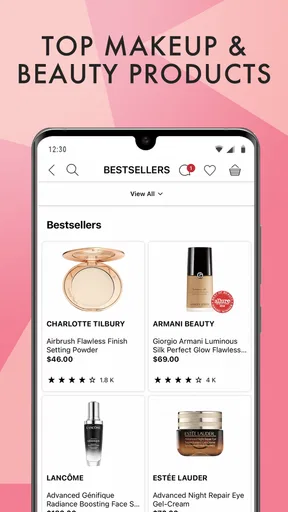
Sephora: Buy Makeup & Skincare review
 Analysis by GetAllApps
I’d consider Sephora when I want one place to browse makeup and skincare from a beauty retailer, rather than bouncing between individual brand stores. The app is free to install, and its focus is straightforward: finding products for everyday routines or gifts. In my view, its usefulness depends less on how often you shop and more on whether Sephora’s selection and shopping experience suit the way you like to choose beauty products.
Start with how you like to shop for beauty
Before downloading, I’d ask myself whether I want a dedicated beauty-shopping app or simply a quick way to restock a familiar item. If I already know the exact product I need, searching in a general retailer’s app or visiting a brand’s own store may be just as direct. Sephora makes more sense when I want to browse across makeup and skincare, compare options, or put together a few different items in one shopping session.
That distinction matters because beauty shopping is rarely just about finding a product name. Shade, finish, skin feel, routine compatibility, and gift suitability can all affect the choice. A dedicated retailer app gives that kind of browsing a natural home, but it cannot make every decision easy: I still need to judge whether an item fits my own preferences, and a screen is not the same as trying a texture or color in person.
Sephora: Buy Makeup & Skincare is a beauty app from Sephora USA, Inc. It is free and intended for everyone. The app has an average rating of 3.9 from around 80,000 ratings, with roughly 22,000 written reviews, and it has been installed over 10 million times. Those figures suggest a widely used shopping destination, though they do not tell me whether any particular product or purchase will be right for me.
What makes this retailer app useful
The main advantage is having beauty shopping gathered in one retailer-specific experience. If I am planning a routine refresh, I can approach the session by need rather than by brand: for instance, start with skincare, then consider whether I also need a makeup item. That is more practical than opening several unrelated shopping apps just to see what is available in each place.
A useful way to browse is to decide on the job first. I might be replacing a daily staple, looking for a different kind of makeup finish, or choosing a present. Keeping that purpose in mind helps prevent a broad beauty catalog from turning into aimless scrolling. I’d also keep a short note of what matters—such as a shade family, texture preference, or a product I already use—so I can compare candidates against my real needs instead of being distracted by attractive packaging.
For gift shopping, the app’s beauty focus can be helpful even when I do not know the recipient’s exact routine. I can begin with the general type of present I have in mind, then narrow the choice based on what I know about their habits. If I have little information about their skin or makeup preferences, I would avoid guessing at a highly personal product and choose something only when I have a reasonable basis for the decision.
That caution is worth emphasizing: beauty is personal. A product that looks appealing in a listing may not suit someone’s skin, preferred texture, or usual style. I treat app browsing as a way to make a considered shortlist, not as proof that an item will work for me. When shade or feel is central, seeing a product in person can be a better final step than relying on a screen alone.
Where Sephora has an edge over broad shopping apps
Compared with a general marketplace, a beauty-focused retailer app keeps the shopping context centered on makeup and skincare. That makes it a more natural place to spend time when I am comparing beauty needs rather than trying to buy a mix of unrelated household items. I also find a specialist destination easier to use as a starting point when I want to explore a category without already knowing a specific brand or product name.
The trade-off is that a specialist retailer is not automatically the best source for every purchase. If I am loyal to one brand and already know exactly what I want, that brand’s own shopping channel may be the more direct route. If I am comparing prices across multiple retailers, I would need to check those options separately rather than assuming one destination is always the best value. Sephora’s strength is focused beauty shopping, not a guarantee that it will win every comparison.
For everyday restocking, I’d use a repeatable workflow: identify the item I need, confirm that I have the right product in mind, and then make the purchase decision without wandering through unrelated categories. For experimentation, I’d do the opposite: browse with a clear limit on what I am trying to learn, such as finding a different type of skincare item, and compare only a few plausible choices. That small discipline makes a large catalog feel more manageable and reduces impulse additions.
Another practical distinction is planning versus browsing on the fly. When I know I will need a gift or a routine replacement, I can look ahead and make a shortlist before I am in a hurry. When the purchase is urgent, an app can help me explore, but I would not count on any retailer’s interface to resolve every question about shade, ingredients, or personal suitability instantly. For those decisions, I would take time to check product details and use my own experience as the deciding factor.
When another option may suit you better
I would not recommend this as a must-have app for someone who rarely buys makeup or skincare, or who prefers to keep shopping in a browser and avoid installing retailer apps. It is also less compelling if the person buys exclusively from a particular brand, already has a reliable way to reorder, or wants a broad marketplace that covers many types of shopping in one place.
People who rely on in-person testing may also prefer visiting a store before deciding. That is especially sensible when choosing a shade or trying something new that depends heavily on how it looks or feels. The app can support discovery and planning, but it cannot replace the confidence of seeing a product directly. I’d use it to research options, then choose an in-person route when the sensory part of the decision matters more than convenience.
For shoppers who compare several retailers, the best approach may be to use Sephora as one stop in a wider decision process. I would first determine which product category and characteristics matter, then compare relevant options where I normally shop. This keeps the decision grounded in the actual item rather than in the convenience of having an app already installed. A specialist catalog is helpful, but it should not end the comparison if price, brand loyalty, or shopping habits point elsewhere.
There is also a difference between enjoying beauty discovery and wanting a fast transaction. If browsing products is part of the appeal, Sephora has a clearer role in my routine. If I want the shortest possible path from need to checkout, an app devoted to my usual brand or a retailer I already use may take less effort. I would choose based on my shopping pattern, not on the assumption that a dedicated app is automatically better.
What changes when you move your shopping into the app
Switching from a browser or another retailer’s app is a modest change, but it still takes a little adjustment. I would need to get comfortable finding the categories I care about and decide whether I prefer browsing in this retailer’s environment. The practical cost is mainly attention: learning where to look, checking that I have selected the product I intended, and resisting the temptation to treat every discovery as a reason to buy.
I would make the first visit purposeful rather than trying to learn everything at once. Start with a real need—one skincare replacement, one makeup search, or a gift—and see whether the app makes that task comfortable. If it does, it may earn a place on the phone. If I find that I still prefer researching elsewhere or shopping in person, there is little reason to make it part of my regular routine just because it is available.
The app is at version 26.20.1 and supports devices running operating system version 10 or later. It was released on December 16, 2013, so it has been around for years, but I would still judge it by how well it handles my current shopping habits rather than by its age. Updates can change an app over time; for my purposes, the important question is whether the current experience makes product discovery and shopping easier for me.
One useful habit is to separate research from commitment. I can browse to understand what kinds of products might fit, then pause before buying if I am uncertain about a shade, formula, or gift recipient’s preferences. That pause is particularly valuable when I am shopping for someone else: it prevents a convenient discovery process from becoming a guess. When I do have a clear match in mind, the app is more likely to feel like a practical shortcut.
My recommendation depends on your routine
I’d recommend Sephora to people who regularly shop for makeup or skincare and want a dedicated place to browse those purchases. It is especially useful when I am considering more than one beauty need, planning a gift, or exploring a category before deciding what to buy. The free price makes trying it an easy decision, while its broad adoption—over 10 million installs—shows that it serves a substantial audience without guaranteeing that it will suit every shopper.
I would skip it if I rarely buy beauty products, prefer to shop entirely in person, or already have a simpler route for buying from one familiar brand. I would also avoid treating it as a substitute for personal judgment: screens cannot settle every question about shade, texture, or how a product will fit an individual routine. In those cases, a store visit or a more direct brand-focused option may be a better choice.
My overall view is that Sephora: Buy Makeup & Skincare works best as a focused shopping companion, not as an essential beauty tool. I’d keep it if it helps me turn a specific need into a thoughtful shortlist and makes routine or gift shopping more convenient. If it adds browsing without helping me decide, I would return to the shopping method I already trust. The right choice is the one that makes beauty purchases clearer, not simply the one with the largest digital catalog.
Pros and cons
Pros
- The wishlist makes it easy to save products for later.
- Shade and product details help narrow down options.
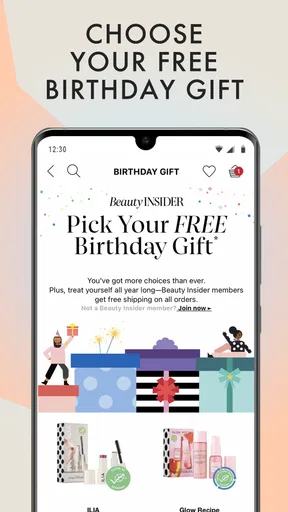
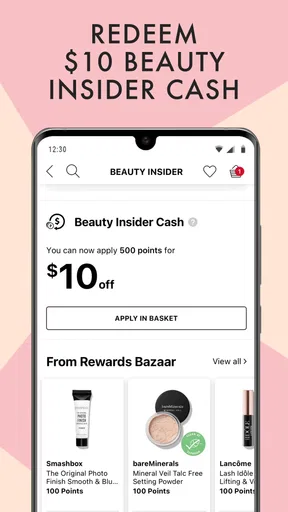
- Beauty Insider rewards add value to eligible purchases.
- Order tracking keeps delivery updates in one place.
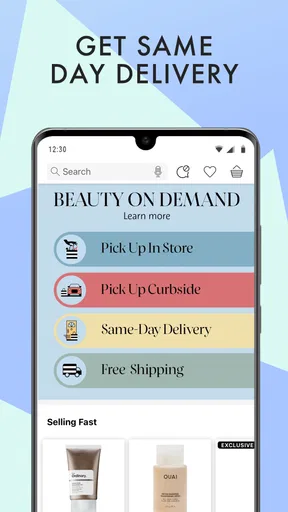
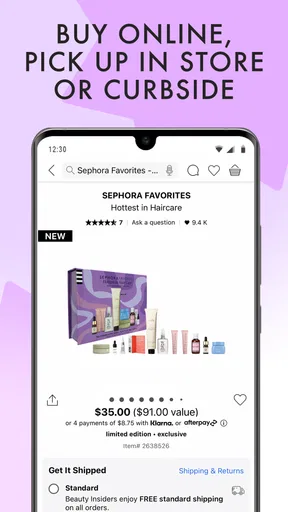
- Store pickup is convenient where available.
Cons
- Some products may be unavailable in certain regions.
- Color shades can look different on a phone screen.
- Promotions and rewards may have eligibility limits.
- The app requires an account for some shopping features.
- Delivery options depend on your location.


